Showing posts with label writing. Show all posts

Friday, 14 July 2017

Writing Rubrics

Writing is my favourite session of the day so I'm super excited to start using these writing rubrics in the new school term!

Providing feedback to students about their progress towards their goals has always been a vital part of the writing session. It usually happens at the end as part of the 'sharing circle'. This is where students read their work to the class and then I provide feedback about their work.

I decided to work on something to make providing feedback a lot easier. Say hello to Writing Rubrics!


These slips of paper come in two different designs; Checklist and Goals.

The Checklist Version contains a list of key writing goals such as spaces between words, capitals, full stops, hearing, recording and proofreading. I decided to level these rubrics to suit the different needs and abilities of the students in my class. Some students would receive a slip with three basic writing goals and others would receive one with five writing goals. The slips vary in the range of skills covered. When marking work, the slip is attached to the page and students receive a tick/stamp in the star for each goal demonstrated. I have made the checklist visual so that students can see and understand each point.


The goals version contains a "big picture" writing goal and then visual representations of other writing skills. Just like the checklist version, the slip is attached to the piece of work. Students receive a tick/stamp in each box that was demonstrated.


As you can see from the pictures, this makes marking and providing feedback easier. Students are also more likely to understand the feedback because it is very visual. These slips allow parents to see their child's progress and what skills they are working towards.

Like what you see? My Writing Rubrics can be found here.

Tuesday, 3 January 2017

Name Activities for Beginning of the Year

I can't believe it's 2017 already! For Australian teachers, this means that there is now only 3 weeks until the start of the new school year! Where oh where did the time go?

I've been starting to prepare some new activities to start the year off. One of the essential centers in my room for the first few weeks is a name center. Some students come to school already knowing how to spell and write their names, but a majority do not.

One of the activities that I've been using for years is the typical "trace and write" which involves students tracing their names and then having a go at writing it themselves. This is done on a laminated paper with a whiteboard marker.


This activity is great for students practising the motion of writing. However, I wanted something different that would target letter recognition and spelling. So I created these activities...

Caterpillar Names


In this activity, students build their name by finding the letters on their name card and putting them in order.


Letter recognition, text direction AND spelling targeted in the one activity. Win!

You can find this activity here.

Ice Cream Names


This is the same concept as the caterpillar game. However, students are building an ice cream from top to bottom. Once they have checked that their name is spelled correctly, they can place the topping on their ice cream.

You can find this activity here.

The best part about these two activities? They focus on the same skill but because they have different pictures, your students won't get bored of them!

Thursday, 12 November 2015

Guided Writing

This year has been a big learning curve for me in terms of teaching. The school I'm at has had a big focus on 'guided groups', which has changed the way I teach.

I've been experimenting with Guided Writing Groups. I'm no expert on the subject but so far, I have seen a big growth in my students writing. Here's how I run guided writing in my classroom.

#1 - Plot students on the 'Aspects of Writing' section of the Literacy Continuum
In NSW, we have a Literacy Continuum. We use this to track student progress and see the 'where to next'. This helps us plan and develop activities which target specific needs.

#2 - Group students according to where they sit on the continuum.
Once students have been plotted, I form my groups based on what 'cluster' they're at.

#3 - Develop a goal
I then look at the 'where to next' and choose a point to focus on. For Kindergarten the goals for the year are;

I can leave spaces between the words (cluster 2)
I can use capital letters and full stops (cluster 3)
I can sound out words that I don't know to help me write them (cluster 3 & 4)
I can correctly spell sight words (cluster 4)
I can write more than one sentence (cluster 4)
I can add detail to my sentence by using adjectives (cluster 5)

I have these on display as a step chart. Student names are on a pencil and the pencils are moved according to what goal they are working on.


#4 - The Session - No more than 4 students
What we write about depends on what we are learning about at the time.

I use a log book to take notes and keep track of what we have covered.


The log book has a space at the top for the group goal and space for anecdotal notes on what writing behaviours each student displays. At the end of the week, once all sessions have been complete, I look back over the notes and make any necessary adjustments to groups or goals.

In the session I provide each student with targeted support. Having a small group means that I am able to provide individualised support for each student.

Once students have completed their writing, I mark their work with them. I have a rubric that relates to each goal;


I refer to this rubric when marking and giving feedback. Usually the number of ticks or stamps refers to how well they've achieved their goal ("working towards", "almost there" and "I've got it"). I've also developed a tracking sheet (right image) to use for next year to help keep my student portfolios neater.

That's pretty much it. If you're interested in the pack, you can find it by clicking here or on the picture below :)

https://www.teacherspayteachers.com/Product/Guided-Writing-2202497

Visual Word Wall

The visual word wall has always been the most used 'interactive' wall in my classroom.

What is a visual word wall and how does it differ from a word wall? The cards have a picture to match the word. This assists students in finding the word that they are looking for. Working in a school with a high population of ESL students, I can't ever imagine using a word wall with no visuals.

Here are some pictures of my Word Wall over the years;


These aren't neat because these walls get used everyday. Let's be honest no working word wall is ever going to stay tidy!

I've had different ways of organising the cards; no organisation, nouns/verbs/adjectives and alphabetically. Overall my favourite way is the alphabetical method. This saves a LOT of time when finding words and aids in reinforcing letter/sound relationships. 

Sorting the cards alphabetically also lends itself to playing fun games such a word hunt - say a word and have students find it on the word wall.

The word cards are based on words that students would use most often. I update the cards when I see a common need or when words keep popping up in student writing.

Check out my Visual Word Wall by clicking the picture below. The cards with items like iPad, PlayStation and Mc Donald's are not included. However I've left blank cards in the product if you would like to make your own for use in your own classroom.


https://www.teacherspayteachers.com/Product/Visual-Word-Wall-2202315

Sunday, 23 November 2014

We Published a Book!

Through Big W Photo Books service! (Australian department store).

Student authored informational texts are a great activity for getting students to write for an authentic purpose. For the past few weeks, the year 4 class I have been supporting has been hard at work on a book about the local community. These students have been highly engaged and are very proud of their work. They are buzzing with excitement to see the finished product. I cannot wait to show them what it looks like!

So how was this implemented?

First, students were introduced to the informational text structure. They were given example texts to read, to identify the structure and features.

The task was then explained to them; they needed to write an information text about the local community for the year 1 and year 2 students. Once the task was explained, the students had to brainstorm and research what services to include in the book. Students then chose what service they would like to cover.

The class jointly constructed the section about the local museum. This was an important step as it gave them practice for writing their own section.

Students then researched their selected service and wrote a piece complete with pictures. This class was very enthusiastic about it, they did some research at home and then posted their work on Edmodo. This made the whole process go a lot faster than if it was done purely at school. I also liked how they would comment on each others' work :D

The work was then edited and then I took their work and inserted it into the online photo book software. It was a bit of a tedious task in terms of positioning the text and making sure everything was coordinated, especially when the website was down and I thought I had lost everything! But the excitement and enthusiasm of the students made it worth it. I completed it on Thursday and according to the website, it is ready to ship! So fingers crossed it comes in sometime this week. They worked very hard on it so of course I want them to see their finished product by the end of the year.

I would definitely do this again. I feel that the authentic purpose boosted student engagement as they were excited to produce an actual book that would be read to other classes within the school. If it were just a piece of work that would sit in their writing book, it wouldn't have been as exciting.

Obviously printing photo books would be quite expensive to do on a regular basis, so to combat this, you could easily whip one up using Microsoft Office or even Photoshop and print it yourself at home. Most schools should have a binding machine in the photocopy room, so you could bind it there. Laminate the pages for durability. Alternatively, you could use a display folder.

For my American readers, I believe you can use the photo books service at Staples - yes, I did actually Google this so you wouldn't be left out :P

I am also working on another school book. A book of poems about the school. It is coming along quite nicely. I have the cover done and quite a few of the poems are typed up. This one is being published at the school, so it has been a lot easier, as I am using good old PowerPoint to create it. I cannot wait until this one is finished as well.

Enjoy what's left of your weekend!

Sunday, 26 October 2014

Comprehension - Part #4. Making Connections

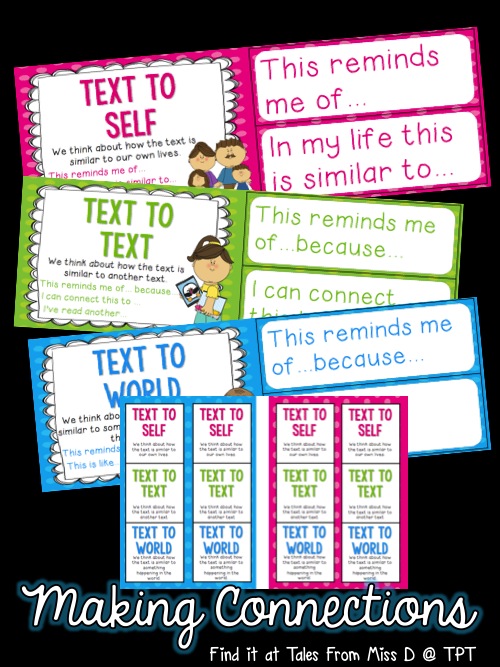
Making Connections is a great strategy to get students thinking about the text and how it is similar to themselves, another text or the world in which they live in. Making connections helps develop a deeper understanding of the text and the characters.

The easiest one to start with is Text-To-Self Connections.

To introduce this, I would pick a basic book that is about a situation that pretty much anyone can relate to. For the younger grades, any Charlie & Lola book is perfect. Before reading, tell students that you want them to listen to find a part of the book that is similar to their life. Read through the book and then have students talk with a partner about how they are similar to book/character.

Put up the prompt "This reminds me of..." on the board and have students use this to guide their answer for reporting back to the class.

In terms of bookwork, have students draw a picture and then write a sentence/paragraph about their connection. You can use the following sentence starters;

* This reminds me of...
* The character is like me because...
* I remember when...

Once students are comfortable with Text-To-Self connections, move onto Text-To-Text. Make the connection (ha!) between what they have just done and what they will be doing now (listening to connect). Good texts to use for this;

* The Gruffao and The Gruffalo's Child
* The Three Little Pigs and The True Story of the Three Little Pigs
*  The Stinky Cheeseman & Other Fairly Stupid Tales and any fairytale covered in the book
* Little Red Riding Hood and The Wolf's Story

Once again have students discuss and then write. This time use the sentence starters;

* The character _______ reminds me of ____________ in ________ because...
* The text ____________ reminds me of ___________ because...
* This story is like _______ because...

Teaching Text-To-Text connections provides a great starting block for comparing texts.

The last connection to teach is Text-To-World. Any text that is about a global issue would be fine. One of my favourites is George Saves the World by Lunchtime. This text is also great for reminding students about recycling and disposing of rubbish thoughtfully :D

Use these sentence starters to guide student responses;

* This reminds me of _________ because...
* This is like when....
* Something similar happened....

Once you have introduced these strategies, you can then use them as reading response activities. A great way to practice writing and encourage deeper thinking about what students have been reading!

I have a pack of posters and thinking stems in my TPT store that would be a perfect companion for teaching this strategy;
http://www.teacherspayteachers.com/Product/Super-Six-Comprehension-Strategies-Making-Connections-1432954

Next up: Questioning!

Wednesday, 24 September 2014

Comprehension - Part #3. Predicting.

Predicting is also an easy strategy to teach. Chances are, you are already doing it with your students, but the aim of this is to;

a) get your students to look closely at the clues in the text 
and 
b) get them to do it automatically, rather than have the teacher prompting all the time

To start off, define what predicting means. Explain that we predict before, during and after reading. Talk about what students can use to make a prediction; cover, titles, illustrations, blurb and text.

Pick a text and have students make a prediction. Give them the sentence starter "I predict". When they tell you their prediction, ask them why they think that. What clues from the text did they use? The sentence starter now becomes "I predict.....because.....".

You can use the above discussion for during reading predictions too.

As for after reading, the discussion turns to talking about what would happen if the author were to write a sequel. Students will use the events from the story to make this prediction. The sentence starter would be "I predict that......would happen next because.....". This can then turn into a writing task if you wish.

It is also important to confirm or reject predictions. That is, talking about whether they were right or wrong. Confirm or reject is just a more technical and nicer way of putting it. At this point, emphasise that it's totally okay if their predictions were rejected. Build up esteem by talking about how well they used the clues from the text :)

A neat way to set up this activity is to use three columns. My Prediction, What Happened and Confirm/Reject. The first two columns are pretty self explanatory, the confirm/reject can be completed with either a tick or a cross, or a C or a R.

If you want students to write about their predictions, here are some ideas;
1) Sentence starter "I predict" or "I predict....because..." Students can draw a picture to support their writing
2) Two columns. My Prediction and Clues From The Text
3) Have students predict what the characters will do, what the problem will be and how they will solve the problem.

My all time favourite activity is to stop reading just before the big ending. Have students write what they think will happen and draw a picture. Then read the ending and compare. It's one activity that the students absolutely love and it's pretty interesting seeing what they come out with.

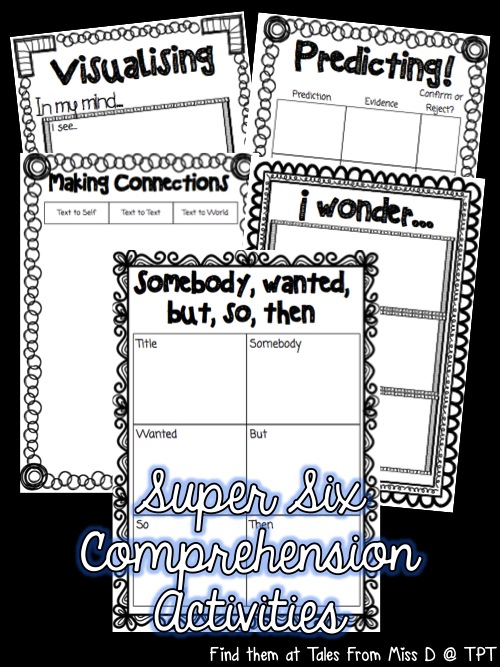
That's pretty much it for predicting. If you are looking for some graphic organisers they can be found in my Super Six Activity Pack;

http://www.teacherspayteachers.com/Product/Super-Six-Comprehension-Strategies-Activity-Pack-1259213

Next up in the series; Making Connections!

Friday, 5 September 2014

Casual Teaching and a WOW Text!

I changed my blog layout again, I decided that I wanted something a bit more simple and clean looking. I'm quite happy with the way it turned out. Though that never lasts long and in a week I'll want another layout :P

This week I worked 2 days. I didn't expect much work as the school production was. It was good timing, as I felt pretty sick on Wednesday and Thursday. There's no way I would have managed to drag myself into work anyway.

On Monday, I had year 5. I was excited about this because that meant I could finally use a book I recently bought; Journey by Aaron Becker.

This was one of those WOW! Books; you know when you pick it up for the first time and all these teaching points just jump out at you and you're just like "wow!"? (Please tell me I'm not the only book nerd out there).

If you've never heard of it before, it's a story told entirely by the pictures. So straight away it lends itself to Inferences. The illustrations are beautiful with lots of fine details and a clever use of colour. Each page can be used as a stimulus for deep discussion.

To kick of the lesson, I revised the skill of Making Inferences. What is it? Why do we do it? 

Then we viewed the book trailer. Which you can view here. That was a really great way to build excitement about the text. If only every text could have a trailer!

Students made an inference on what they thought would happen in the book and they had to back up their inference with the clues that they used.

Then we went through the text and discussed what they thought was happening on each page. At key points we stopped and students wrote down their during reading inferences. Once again it was important that they justified their response with what text clues they used. This was a way for them to show me their thinking and ability to read the visuals.

The ending of the story is awesome. Basically another lonely child rescues the main character and they become friends. People who were paying close attention to the first page would have noticed that the boy is also lonely at the start. It somewhat blends in so you don't notice it, but it's there.

The students loved this text. There is a part 2 called Quest. I am looking into getting that too. I would recommend this text to anyone. It can be used across all grades and for a variety of purposes. A must have for any casual/sub/relief teacher!

This class participates in Genius Hour. I have seen this going on in a few classrooms and I am quite interested by it. The class was supposed to go to the computer lab to work on it, but the lab was taken by another class due to room changes. Never mind, we made do inside the classroom with the iPads and few computers available. I sat with a group of ESL students and helped them research their questions about pirates. I learned a few things while helping them. Did you know that only one pirate ever buried their treasure? :) I can't wait to get my own class again to try this out as a regular thing.

For the past few days while I've been at home sick, I have worked on some more products for my TPT store. Here are three of my latest products. Click on the pictures to view them on TPT;

Writing Task Cards - List Making & Sentences

http://www.teacherspayteachers.com/Product/Writing-Task-Cards-1428969
http://www.teacherspayteachers.com/Product/Writing-Task-Cards-Writing-Sentences-1430442

 These are great to use as part of your literacy groups or a 'work on writing' center. Each pack includes 52 cards as well as an instruction page for students.

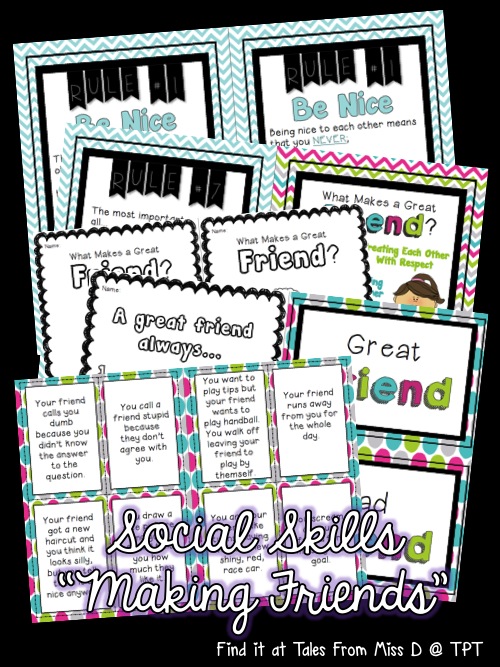
Social Skills - Making Friends

http://www.teacherspayteachers.com/Product/Social-Skills-Making-Friends-1430319

This pack aims to teach students about making and keeping friends. I think this is an important skill for some students as they lack the knowledge of what makes a good friend. I created a text that explains 7 "rules" of being a great friend with an explanation of each. There is a poster, worksheets and a sorting activity. I love using these social skills packs on my casual days as it provides a simple 30 minute lesson on key skills that sometimes students need reminding of. Also helps with the smooth running of a classroom :) If you are interested you can check out my Social Skills collection here.

Lastly, I was super excited to FINALLY see myself on the front page of TPT. I just had to screenshot it! I've always wondered if I have been on there and well now I know :P


That's all from me, enjoy your weekend!

Saturday, 26 July 2014

Scooters, teaching and etc!

This week has been busy!

On Sunday my boyfriend and I bought scooters. The area we live in has a lot of outdoor areas, so it seems silly not to have an outdoor activity. Bikes would have been too bulky to store in the apartment and I don't think that I would be that great at it. Scooters seemed like the most practical option. We went to a whole heap of stores to find a scooter that would be appropriate for an adult. We were not having much luck at first, everywhere seemed to stock the Razor scooter, which was way too small. We were about to give up, when we found The Commuter Scooter at Kmart. It's a lot bigger and sturdier than the Razor as it's made for teenagers/adults. I was a bit wobbly at first, but after a while I got the hang of it. It's so much fun and a good work out too. My arms and legs were feeling the burn after the 2hr ride. We did attempt to go riding after work during the week, but I was too tired. I think it will be a weekend/no work day activity :P

On Monday, the technician from the internet company came out to fix the connection. Turns out the people who lived here before us took a cable out of the network cupboard, so that's why it was not connecting. There was also a cable that needed to be swapped in the building's cupboard. So we were not charged a fee as it was not our fault. Win!

On Tuesday, I had a year 3 class. I was originally told that I was on a year 5, so I had come prepared for that, but then it was changed. The teacher left work so I did not have to do any last minute emergency planning. It was a good day, especially because I had a bunch of students from my 2012 class :)

On Wednesday, I had the same year 1 class as I have had previously. It's nice to come back to the same class because you learn their names and get a picture of what their abilities are. Here are some of the lessons that I did with them;

* Reading Response - I love Dr. Seuss books, my all time favourite book is "I Wish That I Had Duck Feet". If you haven't read it before, it's about a boy who wishes for various animal parts because they would benefit him, however along the way he recognises that they would also cause problems for him. In the end he just wants to be himself.


After reading the book, students had to draw a picture of themselves with an animal part that they would like to have. Once the picture was drawn they had to label it and then write about why they wished for it. Students used iPads to look at pictures of animals to help them with their drawings. In the end students shared their response with the class.

* Time - Years ago, I bought one of those educational clocks. It's been very useful for casual teaching and even in my own class. I brought that in with me and we did o'clock times. After I did several examples on the clock, I picked students to come up and make some times for the class to read. Then we played a whole class matching game, matching pictures to the correct time label. Then they worked independently on a worksheet and then we finished off with a game of bingo.

*  Comprehension, Summarising - Elmer books are always popular with students, so I brought in Elmer and Wilbur. The version I have comes with a CD reading off it, complete with sound effects. After hearing the text, students summarised the story by completing a story map. They then used the story map to help them retell the story orally.

During the day I used GoNoodle. I love this site and the kids do too. It's very useful for brain breaks between lessons and the kids love watching the character grow after completing a few activities. The Frozen song was the most popular activity. If it were up to the kids, we would have sung Frozen all day :P

On Thursday, I was on Kindergarten. The teacher left me work. It was tiring, but a good day overall.

On Friday, I was called in to cover classes while teachers went to help prepare for the big school celebration. I ended up on Kindy for 2 hours and then spent the rest of the day making displays. It was a lot of fun. If I wasn't a teacher, I would be a graphics designer. Taking requests and fulfilling them made me feel like I was working as one :) I'm pretty happy with the way things turned out, they looked fabulous! I will make a modified version of the pennant bunting and upload them to TPT at some point.

I have also been working on new resources for myself, which I have added to my TPT store. Here are some of my latest products;

http://www.teacherspayteachers.com/Product/Reading-Response-Activity-Pack-1346392

This activity pack contains 11 activities that can be used with any fictional text. This is pretty useful for me at the moment because I always use fictional texts on my casual days. Some of the activities include; designing a different cover, book review, creating a character, character profile and writing tasks.

http://www.teacherspayteachers.com/Product/Morning-Routine-for-SMART-Notebook-Space-Theme-1341707

I love doing the morning routine on the SMART board. This file includes your typical pages; days of the week, calendar, number of students, weather chart and days at school.

http://www.teacherspayteachers.com/Product/Recount-Writing-Activity-Pack-1336801

This activity pack contains resources to teach recount writing to your students. Alternatively it can be placed in a folder as part of a writing center. Includes a poster explaining what a recount is, an example text and word wall cards.

Check out my TPT store to see the rest of my new resources.

So far I have one day of work next week. I have a year 4 class on Monday. I have almost finished planning my work for the day. I like having the older grades because you can do more independent tasks with them. I am going to be using the iPads as part of one of my literacy lessons. Should be fun :)

Enjoy the rest of your weekend!

Tuesday, 24 June 2014

Casual Teaching on Year 5; Point of View and Persuasive Writing

Today I had a year 5 class. It's been a long, long, long time since I've taught one of the older grades. I spent 2011 and 2012 on Year 1 and in 2013 I did support on Kindy and Year 1.

I had a great day. I had planned my own work but the teacher had left me work. In the end I'm glad I had my own plans as there was a slight technical glitch and I had to fall back on my own work for part of the day until things were fixed. I'm just going to blog about the lesson I had planned which took up the whole morning session.

I got to use my latest resource which I specifically created for today; a Persuasive Writing Activity Pack. Click on the picture to check it out on TPT :)

http://www.teacherspayteachers.com/Product/Persuasive-Writing-Activity-Pack-1288271

We started off this morning with the story Dear Mrs. LaRue: Letters From Obedience School.


This was a great find a couple of year ago. I only paid $2 for it at a book store liquidation sale. For those not familiar with the story, it's about a dog called Ike who is sent to obedience school and writes letters to his owner. His letters are full of exaggeration and pleas for her to take him home. The illustrations are done in a clever way. There are two parts; b&w showing the exaggeration and the coloured ones showing how it really is.


The two types of illustrations provide a great discussion point about why the illustrator would do this and how it helps tell the story. From there, the discussion can easily lead into the topic; Point of View.

We completed a table comparing the point of view of Ike and what the pictures show.

After that students were given the task to write Mrs. LaRue a letter persuading her to come and take the dog home. Students could either be Ike or themselves.

Before sending them off to write, we talked about what a persuasive text was. Then we talked about the structure and what to include in each paragraph. We looked at an example text and looked at the features. Then students were giving a planning sheet to jot down their ideas before writing the letters.

Here are some of the pages that we used from the persuasive writing pack;


Reading their letters was entertaining. I was very impressed with their reasons for collecting Ike. They combined reasons from the story as well as their own ideas.

I would say that this lesson was a success. Students were able to talk about the different points of view presented and were able to write a decent persuasive letter.

The rest of the day was good. Did some place value and got to experiment with circuit boards and light bulbs.