Showing posts with label management. Show all posts

Sunday, 21 January 2018

First Week of Kindergarten Ideas

The first week of Kindergarten is exciting but it can also be very tiring! I've been asked many times for some ideas on what to do during the first week to get students settled and into the routine of school. Here are some of my favourite things to do during that first week (or even couple of weeks).

Stories

Read lots and lots of books! Use it as a way to settle students in the morning, after break and just before hometime. Students love hearing stories and as numerous studies have shown, exposure to literature is vital for students' literacy and language development. 

I also like to use stories as a way of teaching students how to listen to and engage with a book. I know this might seem obvious and that students should already come to school knowing how to listen, but it's important that we set up our expectations on what listening to a story looks like. I like to do this in a simple manner by telling students that when I read a story, I have a job and they have a job too. My job is to read the story and the students' job is to listen. I then read the story with no additional commentary and any hand raises or interruptions are stopped. BUT WAIT?! What about the questioning and discussion? That all comes later once the listening and engagement has been taught explicitly.

Nursery Rhymes

Nursery Rhymes are another great way to start literacy in the classroom. They help students develop their ability to hear rhyme, syllables and sounds. I like to do a variety of activities which come in my Nursery Rhyme packs. These activities include sequencing, listening for rhyming words, looking for letters and making mini books. YouTube is a great source for video versions of the Rhyme.


Lining Up Game

The Lining Up Game is a fun way to teach students how to line up in two lines after break times. I take my students out to our lining up area to play this to make it as authentic as possible. How does it work? I get the kids to start by sitting in two perfect lines and explain that this is how they need to be sitting at the end of each break. For the game they just need to know two commands "play" and "bell's gone!". Play means they run around as if it's break time. "Bell's gone!" means they need to find a partner and make two lines. We play this over and over again until they consistently make two, straight lines with no pushing in/dramas. Positive feedback is a must and the more cheesy the better! e.g "YOU are the CHAMPIONS of lining up!", "You're going to make all the other teachers jealous!". Play this before each break for two days and you WILL have the best class at making two lines!

Number Crafts

I love doing craft activities, even during the first week of school! It's a great way to build a sense of fun and get students to start developing all the important fine motor skills they will need for the rest of the school year. These Number Crafts focus on numbers and colours. They're super cute and are perfect for decorating your classroom during the first few weeks.


Name Activities

Not every student in your class will come to school knowing how to write, spell or recognise their name so it's important to get ontop of that during the first term. I have name activities as part of rotations and students work on their names every day. I have two hands-on activities which can be found here and here. I also use magnetic letters and cut and paste activities. Changing it up keeps it interesting and engaging for students.


Pre-Number Skills

Pre-Number skills are essential in building the foundations for a deep understanding of numbers and how they work. I start off with Pre-Number activities from day one by incorporating these into rotations. Pre-Number skills include sorting, matching, ordering and comparing. I use a range of resources from math manipulatives in the classroom to games and activities that I've cut and laminated. 


Sorting games, more or less? and matching can be found by clicking on their names.

Rules and Expectations

Explicit teaching of rules and expectations is a must. Get these sorted in the first few weeks and your year will run smoothly. I have an in-depth post about that which you can read here.

Developmental Play

During the first week, the afternoon sessions are dedicated to Developmental Play. This is a great way for students to make friends with their classmates and to relax - remember they're probably just as tired as you! A new scene, routine, and people can be quite exhausting for the little ones. Play allows for social skills to be tested and developed while using imagination. I like to have unstructured play during the first week, so I can sit back and watch students interact with each other while making notes on what social skills need to be explicitly taught and which students might need some extra support socially.


These ideas will keep you going for the first week and help students settle into the routine of school. I hope you have found these ideas inspiring and have helped you plan for your first week of Kindergarten. Keep up with my teaching adventures by following my Social Media accounts: Facebook and Instagram.

Monday, 8 January 2018

Using my Teacher Planners Digitally

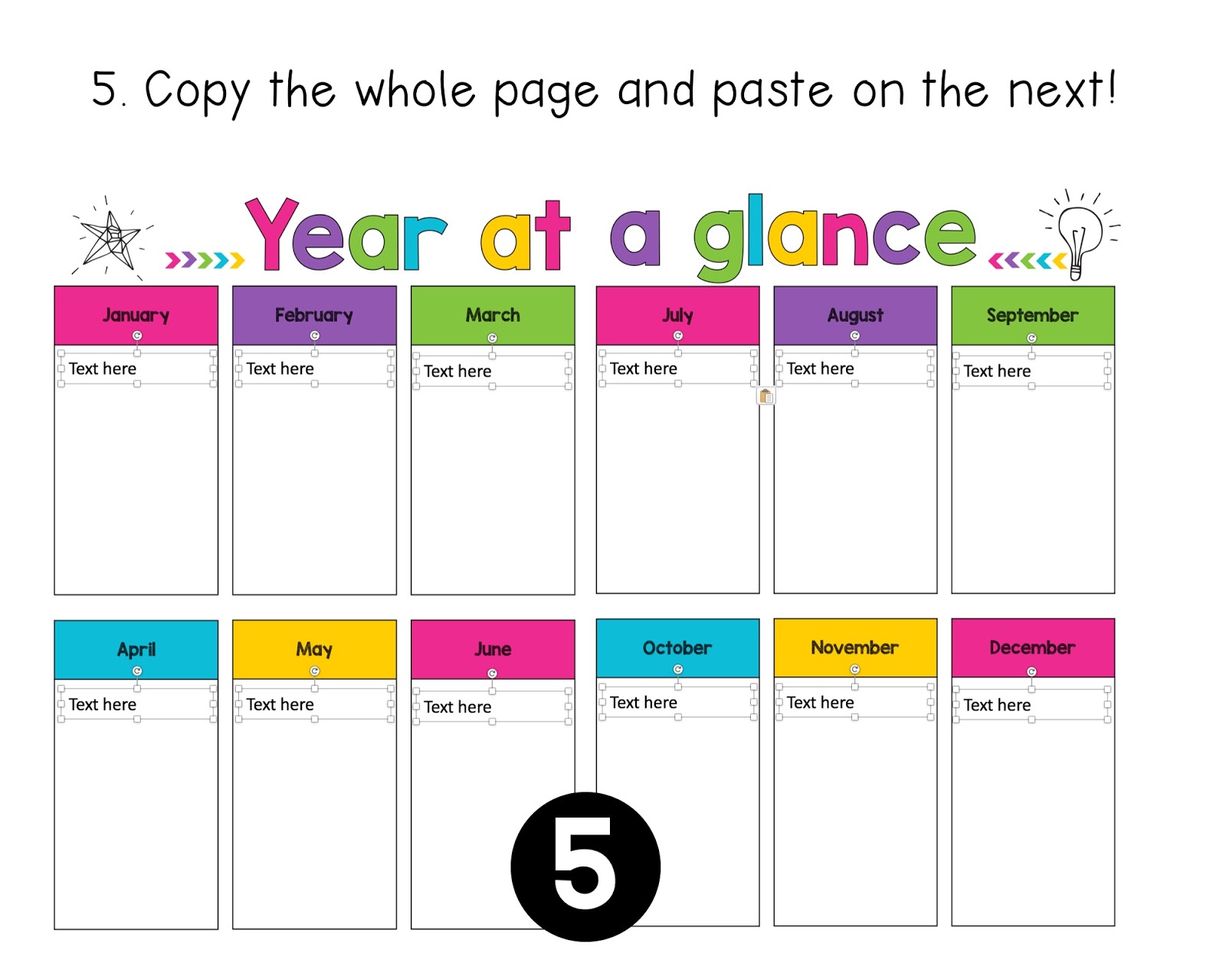
One of the most frequently asked questions I get about my teacher planners is whether they can be used digitally and if so how to set it up. I have not inserted text boxes as some would like to use it as a print and write planner and placing "text here" boxes would interfere with the printing. In order to use my planners digitally, you will need to insert your own text boxes. This might seem like a daunting task, but with these tips and tricks it's not as time-consuming as you would think.

Copy and Paste is your best friend!

A lot of the boxes are the same size and in the same position on each page, so once you have one page set up with the boxes, you can simply copy the text boxes and then paste them onto the next page.


Choosing the right font size

With a table, you can still use a text box and hit enter to move to the new lines. The key to this is choosing the right font size.


If your table has more than one column, simply copy and paste the text box across.


Alignment Lines

One of my favourite things about PowerPoint is the alignment lines that come up when you are dragging items around. These are super useful for making sure that things are lined up properly and evenly spaced.


Here is a visual on how to set up the weekly pages.


I hope this helps you in setting up a digital version of your planner. As always if you have any questions please send me an email or leave a question on my TPT Store!

Wednesday, 28 December 2016

Teacher Planner

It's that time of the year when I should be relaxing, but instead, I'm thinking abut next year. Isn't that the case for everyone? :P

One of my "must have" products for every year is a Teacher Planner. They're better than a standard diary because of the planning pages. However, most of the time I find that there are pages that I have no use for and then the pages that I want are not included. So this year, I decided to take the leap and make my own planner and I think it worked out pretty well.

Here are 10 reasons why I love my new planner - and you will too!

1) It's bright and modern!


If I have to look at this every day for the year, I need it to be visually appealing. Also being bright means it is harder to lose on my desk ;)

2) It has a 'Year at a Glance'


I find this more useful than the yearly calendar as I can write in the important dates for each month rather than circling a date and then forgetting why I circled it later on.

3) Birthdays and Class List


You'd be surprised how many times you randomly need these pieces of information. Saves time as I can just flip open to these pages rather than going on the computer to search.

4) Professional Development Tracker


Won't be losing this log anytime soon! (well unless I lose my diary :P)

5) Award Tracker


This is the only tracking sheet I like to keep in my diary, this helps ensure that every student receives an award by the end of the year. I like to divide it up by school terms and by award type.

6) It is divided up into Australian school terms


I've always had to use sticky notes to divide up my diary, but not anymore because it's done for me! Also #igotthis because this should be everyone's mantra at the start of a new school year!

7) It has a term overview


This can be used for curriculum topics or important days throughout the term. I like to map out both. 

8) Weekly pages on a double page spread


This is pretty standard across all planners. I like seeing the week planned out as a whole. The notes part on the side is a great place to make a to-do list.

9) It can be used YEAR AFTER YEAR


I haven't put any dates or years in my diary. Instead, I can handwrite it in the spaces provided. 

10) It is EDITABLE

I can duplicate or remove pages when needed. I can also type in whatever I need.

I can't wait to print and bind it. I'm feeling super organised already :D

You can get your own copy from my TPT store by clicking the picture below.


Sunday, 12 June 2016

Keeping Centers Under Control


Center work happens in my classroom every day. Together, my students and I have been working pretty hard on our routine since the beginning of the year. At this stage of the year, most of my students have grasped the concept of working independently. Though, there are still a few students who need extra guidance. I'm going to share my top 3 tips that have had results :)

#1 - Noise Meter
These have been around for a while but they are very effective!

Here are my two favourites;


These tools both work the same way, they use your computer's microphone to pick up on the noise level and the graphics on the screen move depending on how noisy the students are.

I have been using Calm Counter. Students must keep the arrow out of the red zone. This has been a major help in keeping the noise level down during center time. As it is real time, students are provided with instant feedback on how noisy they are. It also means that they can monitor the level themselves rather than have me tell them to work quietly. Win!

There are also apps for iPads and smartphones which can be Air Played but I have not used them yet.

#2 - Good Choices and Poor Choices Sort
 Setting up expected behaviour choices is a must. I created a 'Good Choices' and 'Poor Choices' sorting activity with behaviours I had seen. As a class, we sat down and sorted these behaviours. I then stuck them on a coloured card to make a chart that is now displayed at the front of the room during center time.


I refer to this chart when needed. "What choice were you making? what choice should you be making?"

Check this out at my TPT store by clicking here or clicking on the image below.


#3 - Clip Chart
I know this has become a 'controversial' issue but I still have a clip chart in my room. I use this as a motivational tool.


Before we start our centers, I remind students that I am looking for students who are working hard, making good choices, working quietly, sharing and trying their best. At the end of the session, I go through and praise students and move them up the chart. When praising, I make sure I give specific feedback e.g. "I like the way x, was turning the pages carefully at the reading table". By giving specific feedback, it shows the students that I am watching what they are up to even though it appears that I am busy with my group. At the end of the day, students at the top of the chart are rewarded with Dojo Points. I also make sure to emphasise that those students who didn't move up or moved down still have a chance to move up in the next session. Positivity is key!

You can check out my Clip Chart by clicking here, or by clicking on the image below.


Enjoy the rest of your weekend!

Wednesday, 8 July 2015

FLASH FREEBIE!

In celebration of reaching the first TPT milestone, I am offering a Flash Freebie! Click on the picture below to get your own copy.

https://www.teacherspayteachers.com/Product/Turn-and-Talk-1798806

These are a great visual reminder for "Turn & Talk" times in your classroom. I have these stuck on my mini whiteboard and refer to them all the time.

Enjoy!

Sunday, 15 February 2015

Week 3!

This was our 2nd full week of school, and my 1st full week on class. Last week, I was on half days so I could complete the literacy and numeracy assessments. It was a pretty good week...until Friday afternoon. My cat passed away and so understandably, I was pretty upset. I'd had him for 7 years. He was a rescue cat, I adopted him from the storm water drain when he was half kitten/cat. So my plans of blogging and sharing what we had gotten up to, went out the window. I spent the weekend grieving and planning for the week ahead.

So here we go, here is a summary of what happened in Term 1, Week 3!

On Monday, I introduced our behaviour system. Here is what my behaviour wall looks like. You can find the rules and tablet posters in my TPT store.


There are 3 apples; Super Students, Think About It and Teacher's Choice (yes, it's basically a simplified version of the clip chart). Students start the day on "Super Students". I will give a verbal warning. After the warning comes the "Think About It" level. At this point, the student's caterpillar is moved down. I remind them to think about their actions, The next level is "Teacher's Choice". At this point it can go different ways; time in the thinking corner, sent to the supervisor or parent contact. Obviously this depends on what has actually happened. Students can move back up the apples if behaviour improves.

In terms of rewards I have student punch cards.


These cards have 6 boxes. They align with the class rules. If I see students following the class rules, they get a tick. At the moment, 3 ticks = reward card, which aligns with the whole school rewards system.

I also use Class Dojo. 10 points = a raffle ticket. At the end of the week, a name is picked and the student gets to pick from the prize box.

So far this system is going well :)

We continued with our activity rotations. Can already see how settled the students are in working in their groups. The only thing that we need to work on is moving to the next table. Transitions can be pretty tricky!

We also had a discussion about playground rules. I whipped up this 'Playground Rules' reader to help teach safe play in the playground.


This week, we learnt about green, blue, purple and brown. I varied the techniques. We did crayon rubbing, paper chipping, painting and sponge painting.

Monday afternoon was our first whole school assembly. So before we went, I read them my 'Assembly Rules' reader.


I probably seem a little bit obsessed with readers, but I feel that students are more likely to listen and understand if the information is presented to them in a book with visuals rather than me just talking at them. With each page, we stop and discuss WHY.

I was quite proud of my students, they sat up nice and straight and did not talk the whole time, even though it was kind of hot in the hall.

This week, we also did nursery rhymes. We looked at Humpty Dumpty and Jack and Jill. We covered where to start reading from, directionality and full stops. Now all my students can tell me the name and purpose of a full stop. Almost all of them can now tell me where to start reading from. Yay! for progress!

We did some sequencing as well as word matching. I used these fabulous resources. Click on the pictures to find them on TPT!

https://www.teacherspayteachers.com/Product/Kindergarten-Poetry-Humpty-Dumpty-Freebie-1520713

https://www.teacherspayteachers.com/Product/Nursery-Rhymes-Foldable-Booklets-FREE-1492789

In Math, we started learning about 2D shapes. We sorted shapes using multi-attribute blocks. Sorted shapes on the IWB and played Crocodile Hop (which I absolutely love!).


We also started talking about finding shapes in the environment. I found this amazing song on YouTube to introduce the concept. It was a big hit. I had a squiz at their other videos too. This channel is fabulous. A must subscribe for any teacher!


Next week will be a busy week too! We are starting our numbers, letters and sounds programs as well as our 'Me' unit. Now that we are fully settled, it's time to get down to business! I asked my students what they wanted to learn about and they all named a bunch of wild cats. I am thrilled, not just because I am a cat person, but because animals are really interesting to learn about. Have found a nifty way to link it into the 'Me' unit.

That's about it for now :)

Enjoy the week ahead. Happy teaching!

Thursday, 31 July 2014

Casual Teaching on Years 3 & 4

So far this week, I have been working with Stage 2 (years 3 & 4). It has been a fairly good week so far.

On Monday, I had a year 4 class. It was a really great day, everyone was well behaved and enthusiastic about the tasks. That made the day go by smoothly and quickly. Sometimes, with the older grades you get the few students who like to test you by acting up and complaining about everything. Not the case with this class :)

Here is what we got up to;

* Literacy - Point of View with Dear, Mrs. LaRue.

Okay, I admit that I recycled the lesson I did with year 5 a few weeks back. However, when the text is this good can you really blame me? :P My favourite part of the lesson is the part where students have a discussion about why the illustrator has divided each page into two parts; b&w pictures and colour pictures. Some of the great responses were;
* the b&w shows the sad parts and the colour shows the happy parts
* the b&w shows what the dog is thinking about because you can see the thinking bubble
* the b&w shows what the dog is writing about

I'm always amazed with what responses students come up with!

We did not get time to do the reading response part as we had library at 10am. I had something really awesome planned with the iPads, but I can always do that next Monday :D

* Maths - Coordinates
 I introduced this lesson with the question; What are coordinates and why do we use them? The most common answer? Minecraft! To help introduce this topic, I showed a map with no grid on it and asked students to find a street. They struggled. Then I put up the same map with a grid on it, and asked if they could find it by going to the grid reference. They found it within seconds. We then went through how to read coordinates and played a game on the IWB.

After that it was time to play Treasure Battleship! This is a fun game that allows both students to get some practice in using coordinates. One player places their game pieces on the grid and other player (who can't see the grid) asks "Do you have a piece on ________?". The student with the board, then checks that coordinate. If they have a piece, they must remove it off the board. Players swap when all the pieces have been discovered.

We finished off the lesson with a worksheet and marked it as a group afterwards. I like group marking because you can always clarify anything students are still unsure of :)

* Art - 3D Hands
I have seen this on Pinterest for a while now and have been dying to try it out!
If you have no idea what I am talking about, check out this YouTube Video;
The students were impressed with the images I showed and were trying to work out how to do it. Some of them couldn't believe that the paper was completely flat!

A few of the students finished and theirs looked great! The rest who didn't finish kept asking me if we could finish it next Monday when I have them again. I will have to find another awesome art activity for those who finished.

On Tuesday, I was called in last minute to cover year 3. I was thankful that I had had year 4 the day before, so I recycled the same lessons. I only had 30 minutes to eat breakfast, make lunch, get ready and pack my bag! It was an interesting day, with some challenging behaviours at some points.

When I first started teaching, I used to take these days rather personally and as a reflection on my ability to teach. Now I have a more positive take on it and I chalk it up as experience. I think it's good to have to handle challenging behaviours because you learn pretty quickly as to what works and what does not.

Yesterday, I covered two classes. The same year 4 class and a year 5 class. For year 4, they did genius hour. I had read about it online, but never seen it in action. I ended up sitting with a group who were working on their drawing skills. We found a cool website that showed how to draw cars, step by step. I had a go at it too :P

Year 5 involved playing Multiplication bingo and taking them to the library.

Today I have a day off. Will spend it relaxing, scootering and swimming :D

Enjoy the rest of your week!


Saturday, 10 May 2014

Freebie: Behaviour Management

Today I am sharing an idea that made my year a whole lot easier.

Click on the picture to get you own FREE copy on TPT :)

http://www.teacherspayteachers.com/Product/Behaviour-Charts-Individual-1239798

Or click here to get it on TN!

I had a student that did not respond to the management system I already had in place (clip chart). I tried lots and lots of different strategies and sought advice from my colleagues. Nothing seemed to be working, until I tried this chart that my supervisor and I came up with.

There are two columns. On the left, the day is divided into sessions.On the right there are the warnings.

When the student worked well throughout the session (without any incidents), they earned a tick. At the end of the day if they earned 3 ticks, they received a sticker for their sticker chart.

If they received a warning, they had to strike out a box in the right hand column. If they reached 3 warnings they were sent to my supervisor for time out. At the end of each session the warnings were wiped clean.

This chart actually worked. Within a few weeks of implementation I found that we were no longer reaching the point where the student was getting up to the 3rd warning. By the end of the term the student was rarely reaching the 1st warning.

I'm guessing this worked out because the student didn't like the typical clip chart and seeing their name near the bottom while the other students were at the top. Having an individual card on their desk meant that it was more private and not on show for everyone to see.

It definitely made the classroom run a lot smoother :)