Wednesday, 28 December 2016

Teacher Planner

It's that time of the year when I should be relaxing, but instead, I'm thinking abut next year. Isn't that the case for everyone? :P

One of my "must have" products for every year is a Teacher Planner. They're better than a standard diary because of the planning pages. However, most of the time I find that there are pages that I have no use for and then the pages that I want are not included. So this year, I decided to take the leap and make my own planner and I think it worked out pretty well.

Here are 10 reasons why I love my new planner - and you will too!

1) It's bright and modern!


If I have to look at this every day for the year, I need it to be visually appealing. Also being bright means it is harder to lose on my desk ;)

2) It has a 'Year at a Glance'


I find this more useful than the yearly calendar as I can write in the important dates for each month rather than circling a date and then forgetting why I circled it later on.

3) Birthdays and Class List


You'd be surprised how many times you randomly need these pieces of information. Saves time as I can just flip open to these pages rather than going on the computer to search.

4) Professional Development Tracker


Won't be losing this log anytime soon! (well unless I lose my diary :P)

5) Award Tracker


This is the only tracking sheet I like to keep in my diary, this helps ensure that every student receives an award by the end of the year. I like to divide it up by school terms and by award type.

6) It is divided up into Australian school terms


I've always had to use sticky notes to divide up my diary, but not anymore because it's done for me! Also #igotthis because this should be everyone's mantra at the start of a new school year!

7) It has a term overview


This can be used for curriculum topics or important days throughout the term. I like to map out both. 

8) Weekly pages on a double page spread


This is pretty standard across all planners. I like seeing the week planned out as a whole. The notes part on the side is a great place to make a to-do list.

9) It can be used YEAR AFTER YEAR


I haven't put any dates or years in my diary. Instead, I can handwrite it in the spaces provided. 

10) It is EDITABLE

I can duplicate or remove pages when needed. I can also type in whatever I need.

I can't wait to print and bind it. I'm feeling super organised already :D

You can get your own copy from my TPT store by clicking the picture below.


Sunday, 12 June 2016

Keeping Centers Under Control


Center work happens in my classroom every day. Together, my students and I have been working pretty hard on our routine since the beginning of the year. At this stage of the year, most of my students have grasped the concept of working independently. Though, there are still a few students who need extra guidance. I'm going to share my top 3 tips that have had results :)

#1 - Noise Meter
These have been around for a while but they are very effective!

Here are my two favourites;


These tools both work the same way, they use your computer's microphone to pick up on the noise level and the graphics on the screen move depending on how noisy the students are.

I have been using Calm Counter. Students must keep the arrow out of the red zone. This has been a major help in keeping the noise level down during center time. As it is real time, students are provided with instant feedback on how noisy they are. It also means that they can monitor the level themselves rather than have me tell them to work quietly. Win!

There are also apps for iPads and smartphones which can be Air Played but I have not used them yet.

#2 - Good Choices and Poor Choices Sort
 Setting up expected behaviour choices is a must. I created a 'Good Choices' and 'Poor Choices' sorting activity with behaviours I had seen. As a class, we sat down and sorted these behaviours. I then stuck them on a coloured card to make a chart that is now displayed at the front of the room during center time.


I refer to this chart when needed. "What choice were you making? what choice should you be making?"

Check this out at my TPT store by clicking here or clicking on the image below.


#3 - Clip Chart
I know this has become a 'controversial' issue but I still have a clip chart in my room. I use this as a motivational tool.


Before we start our centers, I remind students that I am looking for students who are working hard, making good choices, working quietly, sharing and trying their best. At the end of the session, I go through and praise students and move them up the chart. When praising, I make sure I give specific feedback e.g. "I like the way x, was turning the pages carefully at the reading table". By giving specific feedback, it shows the students that I am watching what they are up to even though it appears that I am busy with my group. At the end of the day, students at the top of the chart are rewarded with Dojo Points. I also make sure to emphasise that those students who didn't move up or moved down still have a chance to move up in the next session. Positivity is key!

You can check out my Clip Chart by clicking here, or by clicking on the image below.


Enjoy the rest of your weekend!

Saturday, 5 March 2016

My Favourite Center Activities - Beginning of the Year

Centers are a big part of our day, they keep students occupied while I work with my guided groups. Carefully chosen centers allow students to work on skills taught in guided groups in a fun way.

Here are some of my favourite centers for the beginning of the year.

Make a Pizza
I have a numeral and alphabet versions. The can be found in my Beginning of the Year Centers pack.


In this activity, students make a pizza by matching the ingredients to the pizza base. This is a great way for students to consolidate their matching skills as well build familiarity with numerals and letters.

This is probably one of my most popular games. I even get requests for this game from my fast finishers :)

Clip A Word
Click here to find it on TPT.


In this activity, students pick a card and use pegs to 'clip' the letters that match. This helps with fine motor and letter recognition.

Number Tracing
Click here to find it on TPT.


In this activity, students trace over the numerals with a whiteboard marker. I love this activity because I feel that we spend a lot of time emphasising letter formation that we forget about numeral formation. So working on our numeral formation during guided maths groups is a great way to slip it into our daily routine.

Matching Trains


For this activity, you can use these ten frame trains and unifix cubes. Alternatively, you can use a printed ten frame or an egg carton.

Students match the unifix cubes by colour to create 'passengers' for the train.

Duplo Letters and Numbers
The number cards can be found here and letters can be found here.


These have been a huge hit with my students. They love showing me the letters/numerals that they make :)

ChickaBoom Tweeze


This awesome mat can be found here, from My Fabulous Class.

In this activity, students use tweezers to pick letters and see if it matches the letters on their board. Once again a great activity for matching, fine motor and letter recognition.

Pipe Cleaner Letters and Numbers


In this activity, students use pipe cleaners to make letter and numbers. This activity helps students develop strength in their fingers through manipulating the pipe cleaner.

Pegboard Numbers


These pegboard cards can be found here.

Students use the pins to copy the number onto the pegboard.

Sorting


This is a simple activity that works with anything. All you need is a sorting tray and some tweezers. Students use tweezers to put the objects into groups. Students can sort by colour, shape, size, etc.

Hopefully you have found some inspiration on here. Got any ideas to share? Let me know through email or comment below :)

Enjoy your weekend!

Sunday, 15 November 2015

Sight Word Tracking & Assessing

Keeping track of sight words has been a lot easier with my Sight Word Track & Assess tool.

https://www.teacherspayteachers.com/Product/Sight-Word-Tracking-and-Assessment-2208073
Click on the picture above to check it out on TPT.

There are three different ways this can be used;

1) Track on a whole class sheet
2) Track on individual assessment sheets
3) Track on a whole class sheet and an individual sheet

I prefer doing option 3. Yes, it means more work for me, but it means that at the end of the year, I'll have a sheet which I can pass onto the next teacher so that they don't have to start again from scratch. It also means I can easily see trends on the whole class sheet to plan my guided sessions.

Here's a peek at whats included in the pack;

Whole class tracking sheet
Boxes are highlighted when students can read the word. I use a different coloured highlighter each time to show progression. I record the key at the top of the page.

I love this, as it's easy to see which words need to be taught/retaught and any common patterns.

Flashcards


I prefer holding flashcards up rather than having students read of the sheet. I find that some students become overwhelmed when they see a sheet full of words. Print on coloured card if you want to sort them into different levels or look a bit more exciting than plain white.

Individual Assessment Sheet


This can be used to keep a record that can be passed onto the next teacher. Hold up flashcards and highlight if the student can read the word. Once again, use a different coloured highlighter if you want to track progression.

Click on the picture below to find it on TPT.

https://www.teacherspayteachers.com/Product/Sight-Word-Tracking-and-Assessment-2208073

Thursday, 12 November 2015

Guided Writing

This year has been a big learning curve for me in terms of teaching. The school I'm at has had a big focus on 'guided groups', which has changed the way I teach.

I've been experimenting with Guided Writing Groups. I'm no expert on the subject but so far, I have seen a big growth in my students writing. Here's how I run guided writing in my classroom.

#1 - Plot students on the 'Aspects of Writing' section of the Literacy Continuum
In NSW, we have a Literacy Continuum. We use this to track student progress and see the 'where to next'. This helps us plan and develop activities which target specific needs.

#2 - Group students according to where they sit on the continuum.
Once students have been plotted, I form my groups based on what 'cluster' they're at.

#3 - Develop a goal
I then look at the 'where to next' and choose a point to focus on. For Kindergarten the goals for the year are;

I can leave spaces between the words (cluster 2)
I can use capital letters and full stops (cluster 3)
I can sound out words that I don't know to help me write them (cluster 3 & 4)
I can correctly spell sight words (cluster 4)
I can write more than one sentence (cluster 4)
I can add detail to my sentence by using adjectives (cluster 5)

I have these on display as a step chart. Student names are on a pencil and the pencils are moved according to what goal they are working on.


#4 - The Session - No more than 4 students
What we write about depends on what we are learning about at the time.

I use a log book to take notes and keep track of what we have covered.


The log book has a space at the top for the group goal and space for anecdotal notes on what writing behaviours each student displays. At the end of the week, once all sessions have been complete, I look back over the notes and make any necessary adjustments to groups or goals.

In the session I provide each student with targeted support. Having a small group means that I am able to provide individualised support for each student.

Once students have completed their writing, I mark their work with them. I have a rubric that relates to each goal;


I refer to this rubric when marking and giving feedback. Usually the number of ticks or stamps refers to how well they've achieved their goal ("working towards", "almost there" and "I've got it"). I've also developed a tracking sheet (right image) to use for next year to help keep my student portfolios neater.

That's pretty much it. If you're interested in the pack, you can find it by clicking here or on the picture below :)

https://www.teacherspayteachers.com/Product/Guided-Writing-2202497

Visual Word Wall

The visual word wall has always been the most used 'interactive' wall in my classroom.

What is a visual word wall and how does it differ from a word wall? The cards have a picture to match the word. This assists students in finding the word that they are looking for. Working in a school with a high population of ESL students, I can't ever imagine using a word wall with no visuals.

Here are some pictures of my Word Wall over the years;


These aren't neat because these walls get used everyday. Let's be honest no working word wall is ever going to stay tidy!

I've had different ways of organising the cards; no organisation, nouns/verbs/adjectives and alphabetically. Overall my favourite way is the alphabetical method. This saves a LOT of time when finding words and aids in reinforcing letter/sound relationships. 

Sorting the cards alphabetically also lends itself to playing fun games such a word hunt - say a word and have students find it on the word wall.

The word cards are based on words that students would use most often. I update the cards when I see a common need or when words keep popping up in student writing.

Check out my Visual Word Wall by clicking the picture below. The cards with items like iPad, PlayStation and Mc Donald's are not included. However I've left blank cards in the product if you would like to make your own for use in your own classroom.


https://www.teacherspayteachers.com/Product/Visual-Word-Wall-2202315

Monday, 9 November 2015

Comparing Numbers

It's nearing the end of the school year here in Australia, so one thing that we've all been doing is going through the syllabus and making sure that we've covered each content strand.

Looking through the syllabus, the team all agreed that we needed more work on the strand; comparing numbers to determine 'how many more'

As a team, we decided on the best way to teach this concept and that this would be the modelled part of our guided maths session.

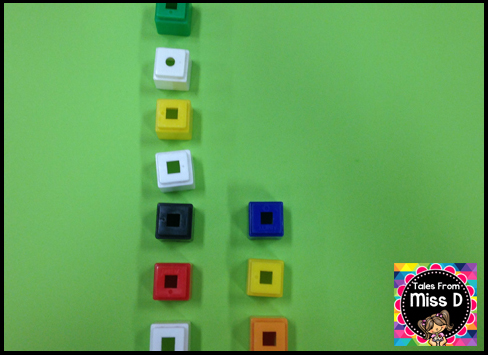
#1 - Get two groups of objects (can be counters, unfix cubes, etc).

#2 - Line up objects side by side, making sure the objects match/have a partner.

#3 - Look at where the matches stop and separate the objects that don't have a partner.

#4 - The objects that don't have a partner tell us 'how many more' are in the group.

When introducing the concept, stick to examples that don't have a huge difference i.e do 7 and 4 not 5 and 20. Keep it simple with small differences. Work on larger differences in the guided group part.

Of course, I want my students to be applying this independently while I am working with my small groups, so I made two centers that work on developing this skill.

Activity #1


In this activity, students pick a card and place that many counters/cubes on the top row. They pick another card and place that many counters/cubes on the bottom row. They then look at where the matching stops to determine 'how many more' and write the number at the bottom.

The grid is a great way for students to make sure the objects are lined up properly. If the objects are not lined up, then this strategy falls apart.

Activity #2
In this activity, students pick a card and make towers that correspond with the numbers. To find out how many more, students break the tower so that they become even. The amount broken off will reveal 'how many more'.


Students can then write the answer on the line.

Very simple, yet effective activities for students to develop this skill. You can find this product by clicking on the picture below :)

https://www.teacherspayteachers.com/Product/Comparing-Numbers-2191590


Enjoy the rest of your week!